
Every tool for a real part,
in one browser tab.
SurfaceCAD is parametric CAD: sketches, features and assemblies that stay editable from the first line to the exported file.
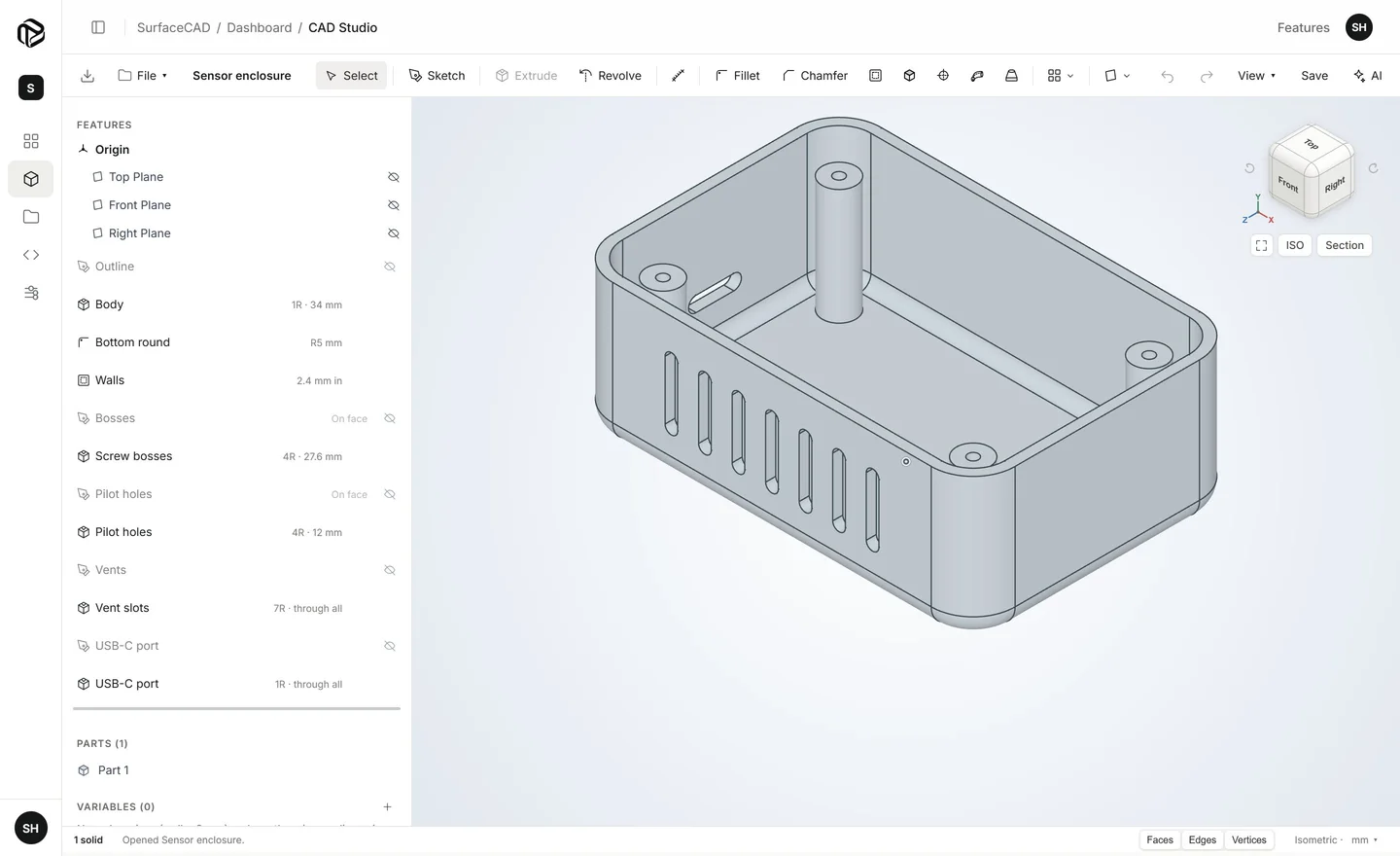
Sketch
Draw on any plane or flat face. Constraints and dimensions keep the shape exactly as you meant it.
- Lines, arcs and circlesPlus rectangles, slots, polygons, splines, points and center lines.
- ConstraintsCoincident, tangent, parallel, perpendicular, equal, symmetric, concentric and more.
- Driving dimensionsType a value and the sketch follows. Use named variables to drive several at once.
- Trim, extend and splitClean up curves where they cross.
- Offset, mirror and projectReuse geometry, including edges of the part.
- Construction geometryGuides that shape the sketch without becoming part of it.
3D features
Turn sketches into solid parts. Each step is a feature in the history that you can open and change later.
- ExtrudeAdd or cut, blind, symmetric or through all.
- RevolveSpin a profile around an axis, a full turn or part of one.
- Sweep and loftFollow a path, or blend between sections of different shapes.
- Fillet and chamferRound or bevel the edges you pick.
- Shell and draftHollow a solid to a wall thickness; angle faces so they release from a mould.
- HolesSimple, counterbored and countersunk.
- Patterns and mirrorRepeat features in a line or around an axis, or mirror them.
- Reference planes and axesBuild where the default planes do not reach.
History and versions
Parametric means nothing is final. Go back, change a number, and everything after it rebuilds.
- Feature historyDrag features to reorder them; drag the rollback bar to see the part at any step.
- Undo and redoEvery change, including the AI’s, is one step.
- VersionsName a version before a big change and go back to it any time.
- AutosaveYour work is saved a moment after each change.
Inspect
Check the part before you send it anywhere.
- MeasureLengths, distances, angles, radii, diameters and areas of what you pick.
- Mass propertiesVolume, surface area, mass and center of mass, from the material you assign.
- Section viewCut the view open to see inside.
- View cubeClick a face, edge or corner of the cube for a standard view.
Assemblies
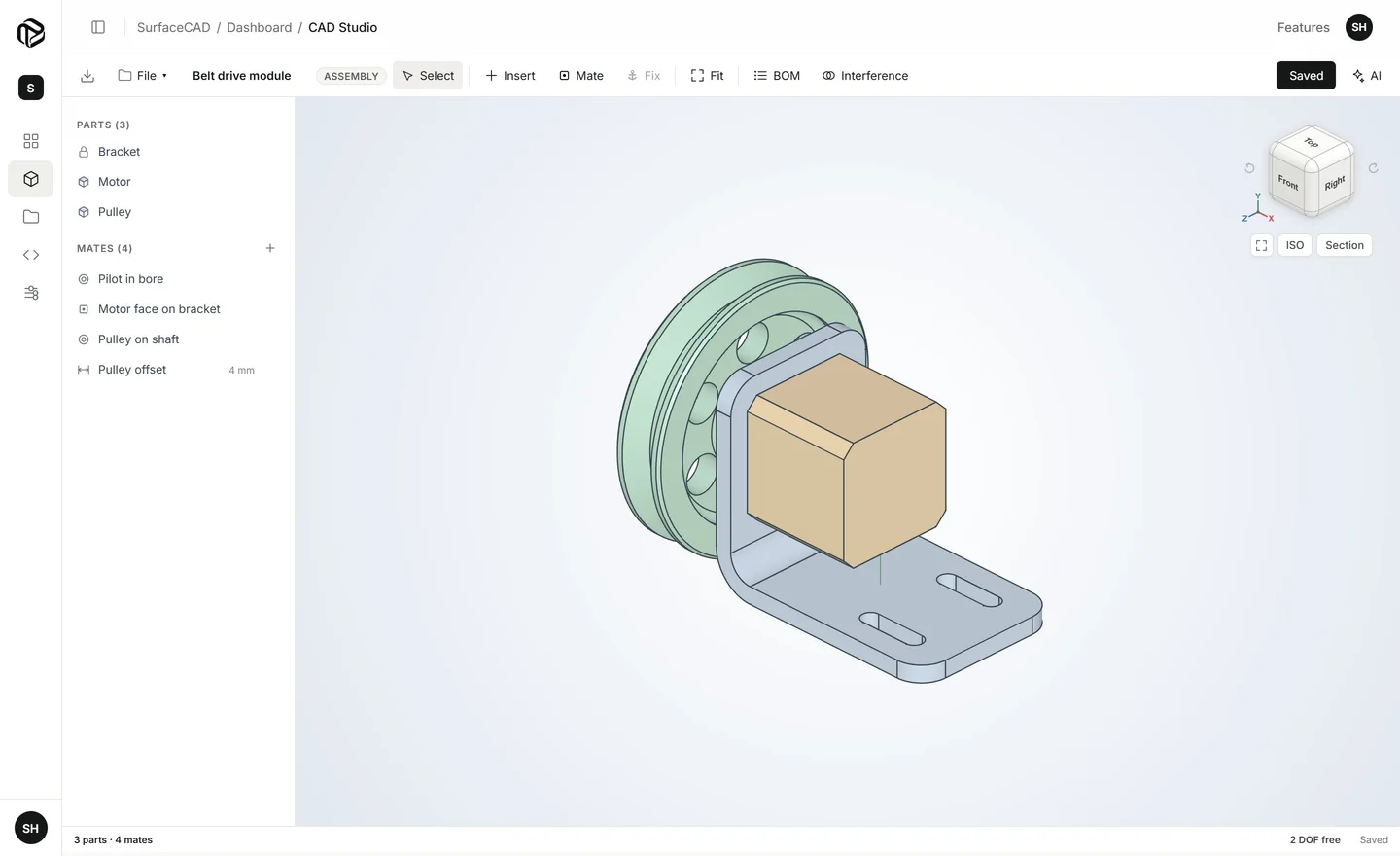
Bring parts together in the Assembly Studio and check that they fit.
- Insert partsFrom your files, as many copies as you need.
- MatesFastened, coincident, concentric, distance, angle and parallel.
- Move and turnDrag parts along the freedom their mates leave them.
- Bill of materialsEvery part and its quantity.
- Interference checkFinds parts that overlap, and where.
- Isolate and hideFocus on a few parts at a time.
Files
Your parts live in your account, in folders, and leave in standard formats.
- STEP and STL exportSTEP for other CAD programs, STL for 3D printing.
- STEP importOpen parts made elsewhere.
- Folders and searchKeep projects apart and find a file by name.
- TrashDeleted files stay in the Trash for 5 days, so you can bring them back.
AI
All of the above can also be driven by the built-in assistant, or by Claude and ChatGPT over MCP.
- Describe a part in plain words
- Attach a photo or a PDF drawing
- Each change is one undo step

Open the Studio
and make your first part.
Free to start. Sign in with Google and you are in the CAD Studio, no download and no card.